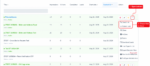
LeadsHook V2 Decision Trees page with the Actions menu and Direct link and Embed code options highlighted

How to Share or Embed Your LeadsHook V2 Decision Tree

A LeadsHook V2 Decision Tree can be put in front of visitors in two ways: share a Direct Link, or place the Embed Code inside a page on your website. This guide shows where both options are located in the current V2 interface, what every setting does, and how to test the result before sending […]
Read More

How to Embed a decision Tree using a popup Button

Introduction: This guide presents a step-by-step process on how to display a decision tree in a popup on your website using LeadsHook. In this article, we will learn how to display the decision tree in popup. This feature will display a BUTTON and when clicked will display your decision tree in a pop-up: Video Instructions […]

Read More

How to Import Decision Trees Into Your LeadsHook Account

In this article we explain how to import your decision trees into your account. Step 1: Select Decision Trees from Top Navigation Step 2: Click the “Import” button as shown below Step 3: Select & Import Your decision tree will be added to an import queue that usually takes about 10 seconds. Please go back […]

Read More

How to add a slider? To enter numerical answer

Introduction This guide illustrates how to add a slider to your decision tree in LeadsHook, enabling your leads to provide numerical answers easily. Example:     Step-by-Step Instructions: Step 1: Create a number answer custom field Step 2: Create a slider Step 3: Format the slider as needed. Conclusion: Adding a slider to your decision […]

Read More

How to add images to decision tree?

Introduction: This guide outlines how to add images to your decision tree in LeadsHook using the text editor. Step-by-Step Instructions: Step 1. Click the image icon on text editor Step 2. Click Browse Server Step 3. Upload your images Step 4. Click Select Conclusion: Adding images to your decision tree can make it more engaging […]

Read More

How to add videos to decision tree?

Introduction: This guide explains how to embed videos in your decision tree in LeadsHook using the text editor. Step-by-Step Instructions: Here is how to embed videos using the text editor: 2. Click Embed 3. Copy the code 4. Click Source, paste your YouTube video code in the text editor. Finally, click Source again. 5. You […]

Read More

Deploying Your Decision Tree to Go Live

Introduction This article guides you through deploying your decision tree and embedding it on your website. By following the provided step-by-step instructions, you can take your decision tree live on your website quickly and efficiently. Step by Step Instructions Step 1: In your decision tree canvas view, click on “Embed Code.” Step 2: Untick the […]

Read More

How to add tags on the decision tree itself?

Introduction: Tagging a decision tree in LeadsHook can help identify which campaign acquired a particular lead. For instance, a decision tree tagged as “travel” will apply the same tag to leads who engage with that campaign. Step by Step Instructions 1. Click the gear icon, then “Details” 2. Enter the tag(s) on “Tags”. Remember to […]

Read More